How To Create And Send Invoices Without Signing Up
Learn how to create and send professional invoices without signing up. Generate invoices instantly, customize details, and share them with clients in minutes.
Most invoice tools want your email before you type a single line item. You click through verification, pick a plan tier, and only then discover whether the editor actually fits your workflow. If you just need to bill a client this week — without handing your business data to another SaaS dashboard — a no-signup invoice generator is the faster path.
invoicemon is built around that idea: open the app, create an invoice in your browser, save drafts on your device, and send the finished document yourself. No account wall for the core workflow. This guide covers what that means in practice, how to get from blank invoice to client's inbox, and how to stay organized without a cloud login.
Why "No Signup" Matters for Invoicing
Signing up is not inherently bad — but it adds friction when you only invoice occasionally, and it often means your invoices live on someone else's servers by default.
A no-signup approach gives you:
- Immediate start — no email confirmation loop between you and a paid invoice.
- Local-first storage — drafts and settings stay in your browser unless you export or email them.
- No subscription surprise — you are not locked into a monthly fee just to download a PDF you already built.
- Control over delivery — you choose whether to attach a PDF from Gmail, Outlook, Apple Mail, or another client you already trust.
For freelancers, contractors, and side projects, that combination is often enough. You get a professional document and a clear send path without onboarding into another platform.
What You Can Do Free — Without an Account
On invoicemon's free tier, you never need to create a user profile. Open invoicemon.com, click Create an invoice, and you are in the editor.
Without signing up or paying, you can:
- Build a full invoice — logo, client details, line items, tax, notes, signature.
- Save and Save As drafts to a local invoice library in your browser.
- Open saved drafts later and update dates or amounts for repeat clients.
- Preview the print layout before you send anything.
- Export → Save as PDF for attachment or archiving.
Your invoice data stays on your device in browser storage. invoicemon does not require cloud signup to use the editor. If you want the full PDF export walkthrough — preview checks, print dialog tips, and filename conventions — see How to Create an Invoice PDF Online.
How To Send an Invoice Without Signing Up
Creating the invoice is half the job. Delivery is where many tools suddenly demand an account or push you through their own payment portal. With a local-first generator, you keep control of the send step.
Option 1: Export a PDF and send from your email client (free)
This is the default path for most no-signup users:
- Finish the invoice in invoicemon and run Edit → PDF Preview to confirm layout and totals.
- Use Export → Save as PDF and save the file to your computer or phone.
- Open the email app you already use — Gmail, Outlook, Fastmail, Apple Mail, or your work client.
- Compose a message to your client's billing contact.
- Attach the PDF, write a short cover note, and send.
You are not routing the invoice through invoicemon's servers on this path. The PDF is a file you own; your email provider handles delivery. That is ideal if you want zero server involvement beyond loading the web app.
What to put in the email body
Keep it short and scannable:
- Reference the project or invoice number in the first line.
- State the total and due date plainly.
- Repeat payment instructions (bank transfer, PayPal, etc.) even if they are on the PDF — clients often read the email first.
- Thank them and include your contact details for questions.
Subject line examples
Invoice #1042 — [Project Name] — Due June 30Invoice from [Your Name] — [Client Company] — $1,250 due Net 15
A clear subject line helps accounts payable find your message in a crowded inbox.
Option 2: Send from invoicemon with your own SMTP (business license)
If you send invoices often and want the composer inside the app, invoicemon's business license adds an Email menu:
- Generate Email… — AI drafts subject and body (using your own OpenAI-compatible API key).
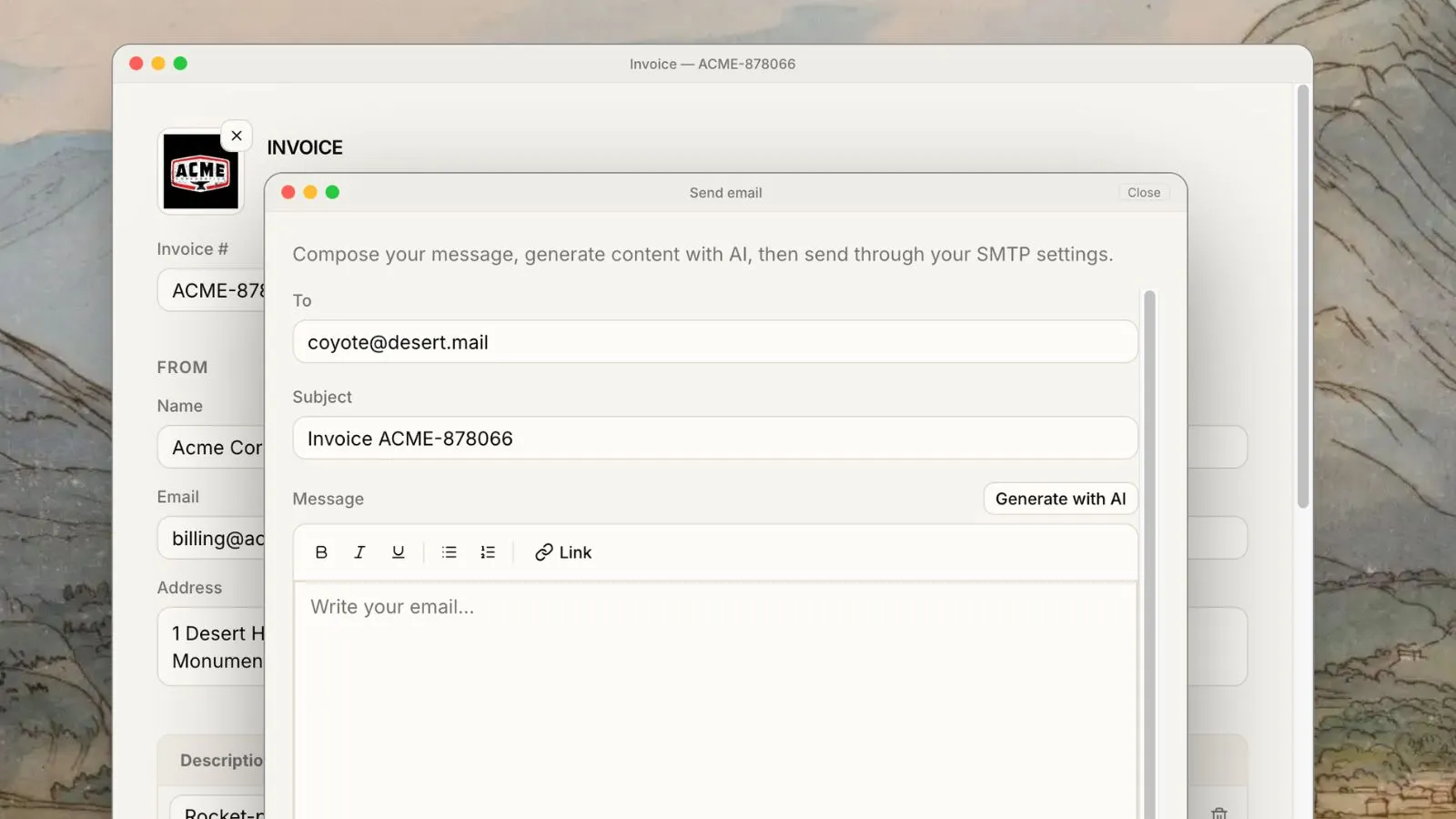
- Send Email… — rich-text composer with PDF attachment via your SMTP server.
Important privacy details:
- SMTP credentials are stored in your browser for convenience, but they are sent to invoicemon's API only for that send request — the server does not persist your password.
- Sent and generation histories are kept locally (last 100 entries each), not in a cloud account dashboard.
This is still not "sign up for invoicemon cloud storage." You purchase a license key, activate it in Settings → Add license key…, and unlock email plus JSON backup and business defaults. If you prefer never to pass SMTP through any third-party relay, stick with Option 1.
Staying Organized Without a Cloud Login
No signup does not mean no structure. A few habits keep the workflow reliable:
Use consistent invoice numbers. Sequential IDs (1001, 1002, …) make it easy to match payments to drafts in your local library.
Save before you send. File → Save stores the editable source. When the same client hires you again, open the draft, change dates and line items, export a fresh PDF, and send — faster than rebuilding from scratch.
Back up if you rely on browser storage. Free users keep everything in localStorage. That is private and fast, but clearing site data or switching browsers without a backup loses drafts. Licensed users can Export all as JSON for a portable archive; free users should at minimum keep PDF copies in a folder or cloud drive they control.
Track sends yourself. Without a SaaS "sent" dashboard, note the send date in a spreadsheet, your calendar, or the invoice notes field. A simple "sent 2026-06-10" remark saves confusion during follow-up.
No Signup vs. Traditional Invoicing Software
| No-signup (invoicemon) | Typical SaaS invoicer | |
|---|---|---|
| Account required | No, for create/save/PDF | Usually yes |
| Where drafts live | Your browser | Provider's cloud |
| Send path | Your email client, or optional SMTP | Often in-app only |
| Cost to send one PDF | Free | Often tied to plan |
| Vendor lock-in | Low — export PDF anytime | Higher — data export varies |
Neither model wins every scenario. Heavy teams with approval workflows may need full accounting suites. For solo billing and occasional client work, no signup plus local drafts is often the leanest fit.
When a Business License Helps (Still No "Account")
You never need a login to invoicemon's servers for the free workflow. A business license is a key you activate locally — not a user profile with a password on invoicemon.
Consider upgrading when repetition makes these worth it:
- My business defaults — logo, address, tax rate, and currency pre-filled on every new invoice.
- JSON export/import — backup invoices and settings to files you store wherever you want.
- Custom labels — rename fields to match your industry wording.
- In-app email — generate and send without leaving the editor.
Use Get license key in the menu bar when you are ready. You can invoice clients for months on the free path and add a license only when the extra tools pay for themselves.
Sending Tips That Work With Any No-Signup Tool
Whether you use invoicemon or another browser-based generator, these practices improve payment speed:
- Send the same day you finish the work — context is fresh and clients expect timely billing.
- Bill the right contact — send to accounts payable if your client is a company, not only your day-to-day collaborator.
- One invoice per engagement — unless your contract says otherwise, keep projects separate for cleaner bookkeeping.
- Follow up before the due date — a friendly reminder three days before "Net 30" ends reduces awkward late chasing.
- Keep a copy of what you sent — saved PDF plus sent email in your "Sent" folder is enough for most freelancers.
Frequently Asked Questions
Do I really not need to sign up?
Yes. You can create invoices, save them locally, preview them, and export PDFs without creating an invoicemon account or paying. Email-from-app and JSON backup require a business license, not a signup form.
Is my invoice data private?
Drafts and settings live in your browser's local storage. invoicemon does not upload your invoice library to a cloud account on the free tier. If you use in-app email, message content and SMTP credentials pass through the send API once per message; credentials are not stored server-side.
Can I send invoices from my phone?
Yes. Use invoicemon in a mobile browser, export the PDF, and attach it from your phone's mail app. The no-signup workflow works the same; screen size is the main practical difference.
What if I lose my browser data?
Save PDFs to a folder you control, or use licensed JSON export for full backups. Browser storage is convenient but tied to that browser on that device until you export.
How is this different from your PDF guide?
The PDF guide focuses on building and exporting a print-ready invoice. This post focuses on the no-signup model and getting that invoice to your client — via your own email or optional SMTP — without repeating the export steps.
Start Invoicing Without an Account
You do not need another login to bill a client professionally. Open invoicemon, build the invoice, save a local draft, export a PDF, and send it from the email client you already use. No signup, no waiting — just a clear document and a direct path to your client's inbox.
When volume grows, add a business license for defaults, backups, and in-app email. Until then, the free path is complete: create, save, send, and stay in control of your data.